Reading to Ruth › Advice for families
Tablets for older peopleThe best tablet for an elderly person who just wants to listen
If all they want is to listen to a book, almost any tablet will do. What matters far more than the model is how it is set up: one thing on the screen, always charged, always in the same place. This guide is about tablets for listening, not for email or video calls.
Start with the one they already have
An old tablet at the back of a drawer is usually good enough. My grandmother Ruth, who is 101, listens on a ten-year-old iPad. Playing a book asks very little of a tablet. Before buying anything, charge up whatever they or the family already own and try it.
If you are buying one
An iPad, new or second-hand
- It can be locked to one app with Guided Access, and the screen can be set to stay on. Here is how.
- Many Bluetooth hearing aids connect straight to it, so the book plays directly into them.
- It costs more than the others. A second-hand one several years old is fine for listening.
An Amazon Fire tablet
- The cheapest sensible choice: a basic one is about £100. One of our founding families uses a Fire HD 10.
- Most can pin one app to the screen, though a few can't.
- The screen can't be set to stay on for good, so it goes dark after a while. One press of the power button brings it back.
- A Fire generally can't send sound straight to hearing aids. Use a speaker beside the chair.
An Android tablet
Samsung, Lenovo and others make them at a range of prices. They can pin one app to the screen, and hearing aids pair through the ordinary Bluetooth settings.
What matters more than the model
- A stand. A tablet lying flat is hard to see and easy to knock. A simple stand beside their chair makes it a fixture.
- Left plugged in. A flat battery is an easy way for a tablet to fall out of use.
- One thing on the screen. Lock or pin it to the one app they use.
- Sound they can hear. A tablet's own speaker is fine in a quiet room. In a care home or a busy house, a small plug-in or Bluetooth speaker is much clearer.
- A stylus, if touch is a problem. A touchscreen needs a little warmth and moisture in the fingertip. If they press and nothing happens, a soft-tipped stylus costing a few pounds gets round it.
- Wi-fi where they sit. Check the signal reaches their chair.
What to put on it
Reading to Ruth turns any of these tablets into an audiobook player with one big Play button. It is a website, so there is nothing to install: it runs on iPads, Android and Amazon Fire tablets, phones and laptops, including many older ones.
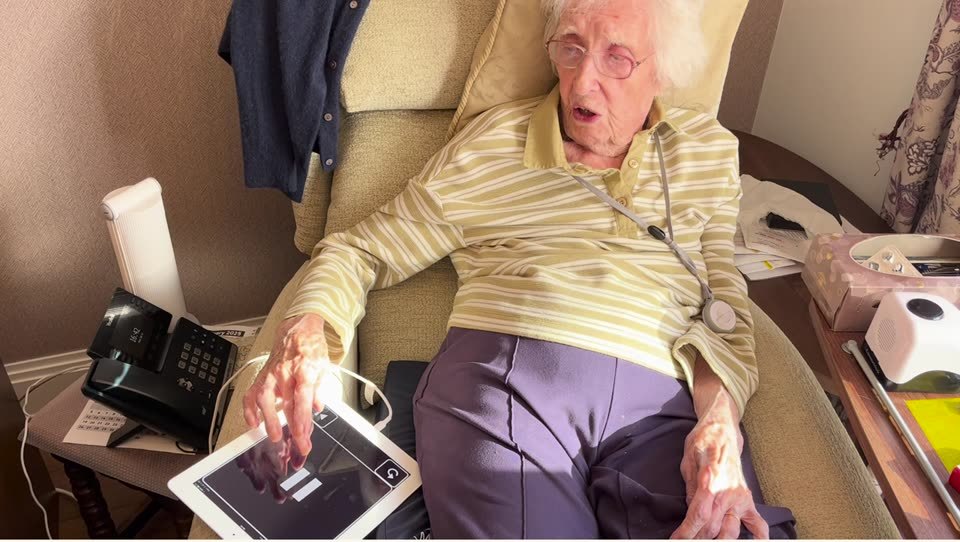
The family choose the books and record voice messages from their own phones. A free library of classics is included.
Any tablet. One big button.
An audiobook player for someone who is older, blind or hard of hearing, on the device they already have.
Price from 1 January: £74.99 Founding price now: £49.99 once
Founding price until 31 December 2026. One payment for the whole family. No subscription.
Get started — £49.99Try the player first
60-day money-back guarantee, from the day they first use it.
Questions people ask
What is the best tablet for an elderly person?
For listening to books, the one they already have is usually good enough. If you are buying, an iPad is the easiest to lock to one app and connects to many hearing aids; a basic Amazon Fire is the cheapest sensible choice.
Is an iPad or an Amazon Fire better for an elderly parent?
An iPad can be locked to one app, keeps its screen on and connects to many Bluetooth hearing aids. A Fire costs much less and works well for listening, but its screen goes dark after a while and it generally can't send sound to hearing aids.
Do they need a new tablet for Reading to Ruth?
No. It runs on iPads, Android and Amazon Fire tablets, smartphones and laptops, including many older ones. Ruth's is a ten-year-old iPad.