Reading to Ruth › Advice for families
What you get when you buyInside the family page
Their player is one big button. Everything else happens on the family page, which you open on your own phone or computer. You don't see it until you have bought, so here it is. These pictures show an example family, with made-up names.
The bookshelf
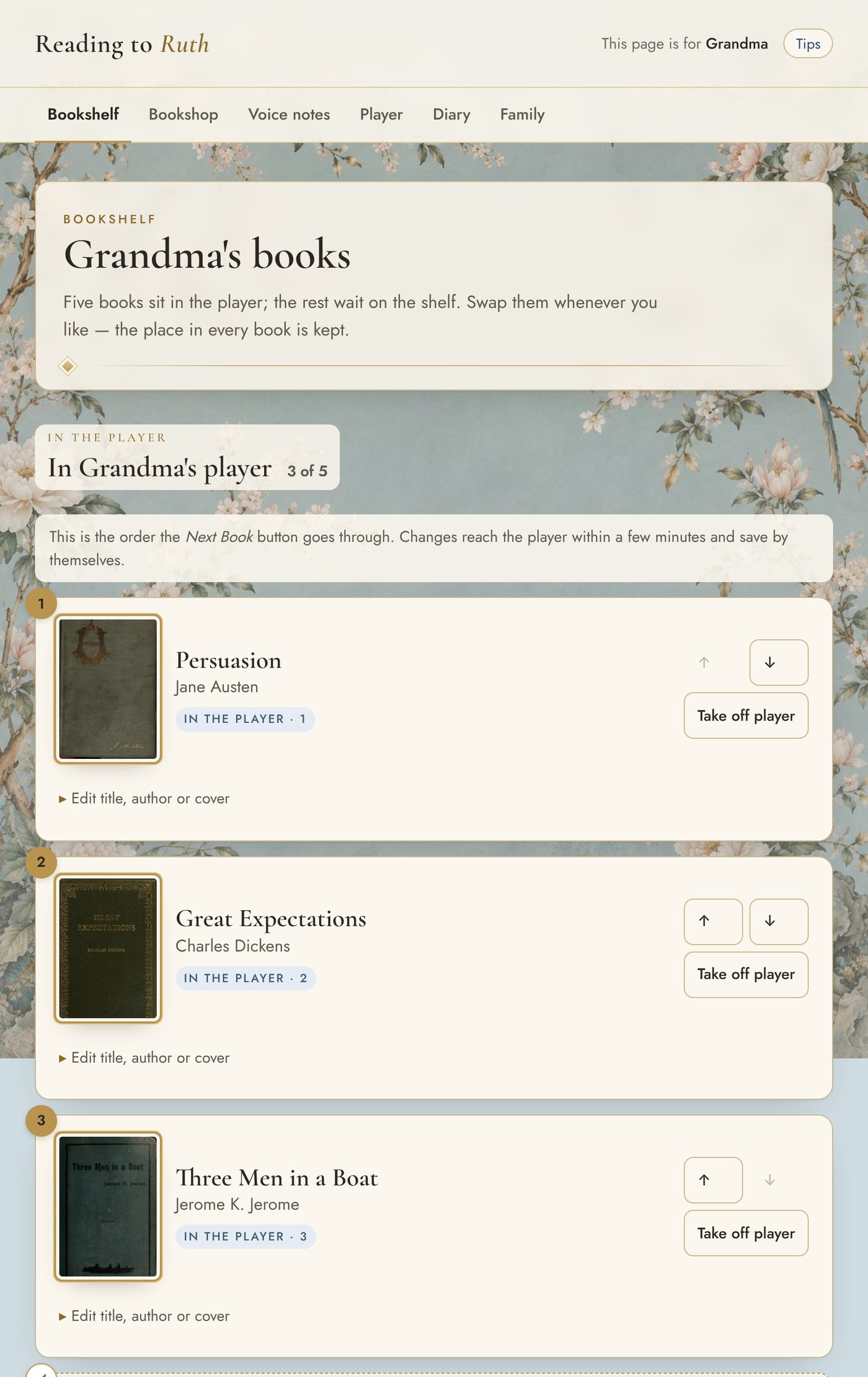
Five books sit in the player, and the rest wait on the shelf. You choose the order they play in and swap them whenever you like. The place in every book is kept.
The bookshop
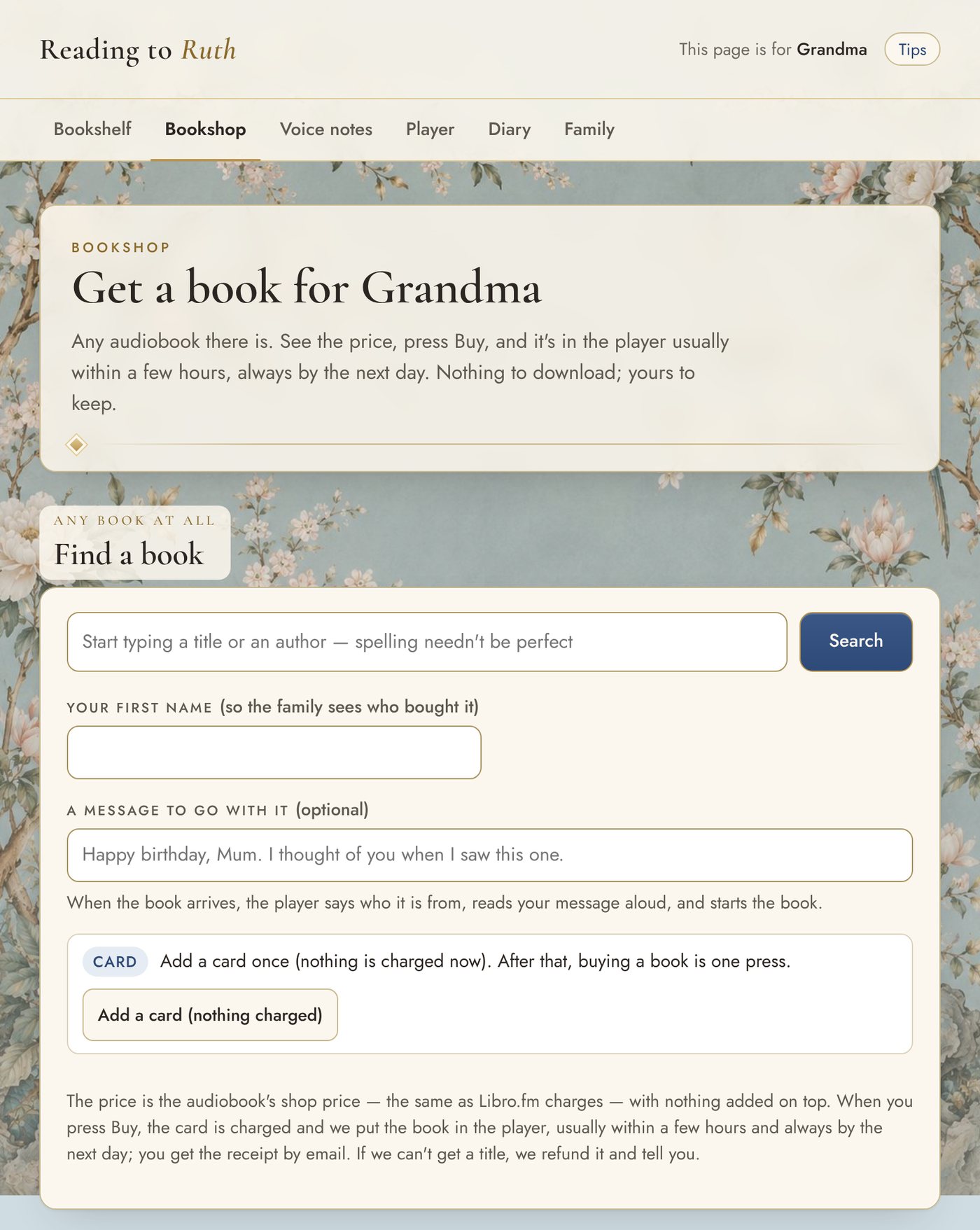
Type a title or an author, and the spelling needn't be perfect. You see the price before anything is charged, and it is the audiobook's normal shop price with nothing added. Add a few words of your own and the player reads them aloud when the book arrives, usually within a few hours and always by the next day.
The free classics library
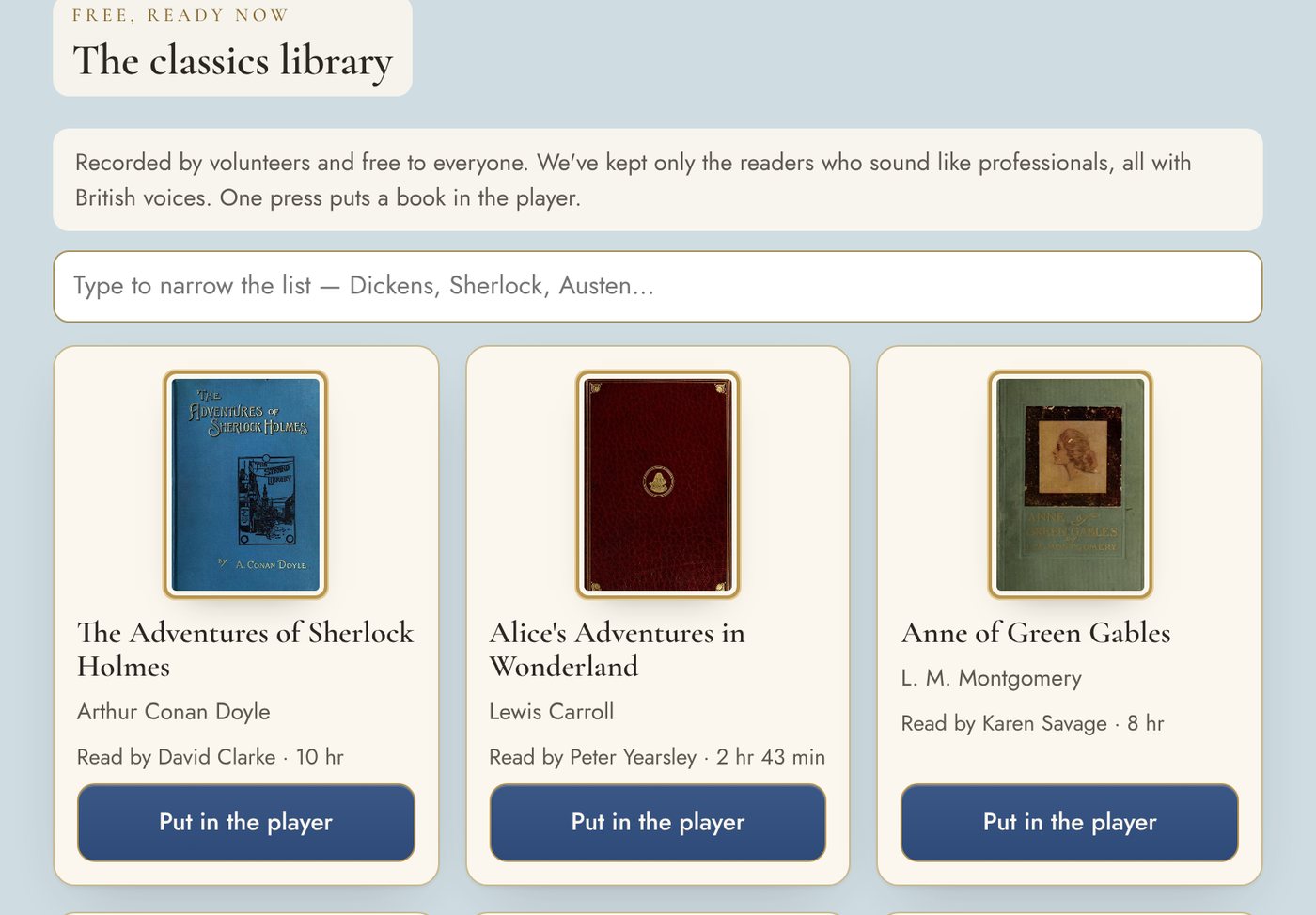
Something to listen to on the day you set up. These are recordings that volunteers gave to the public domain. We listen to every one and keep only the readers who could sit beside the professionals. One press puts a book in the player.
Voice notes
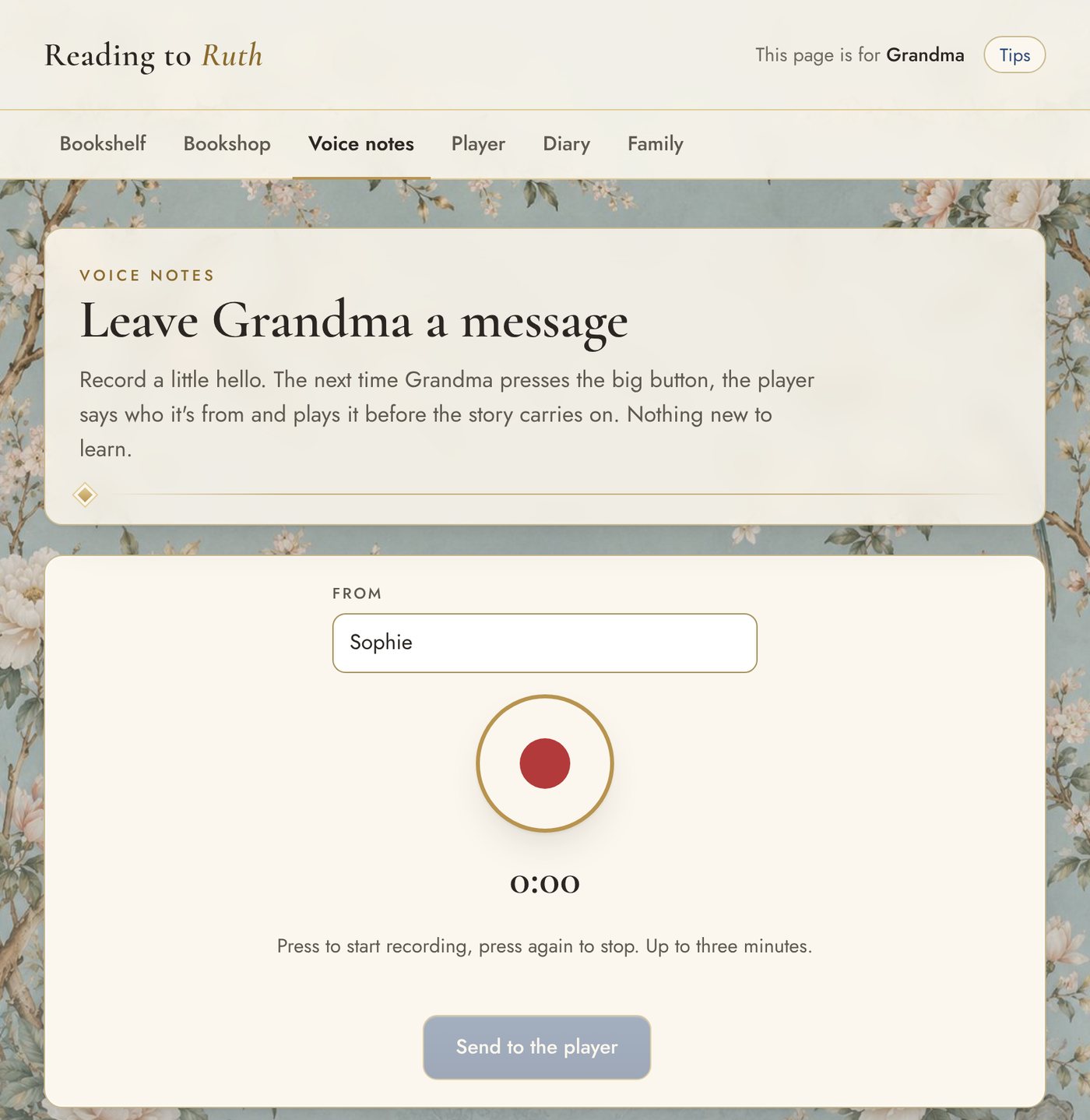
Put your name in, press the red button and talk, for up to three minutes. The next time they press Play, the player says who the message is from and plays it before the story carries on.
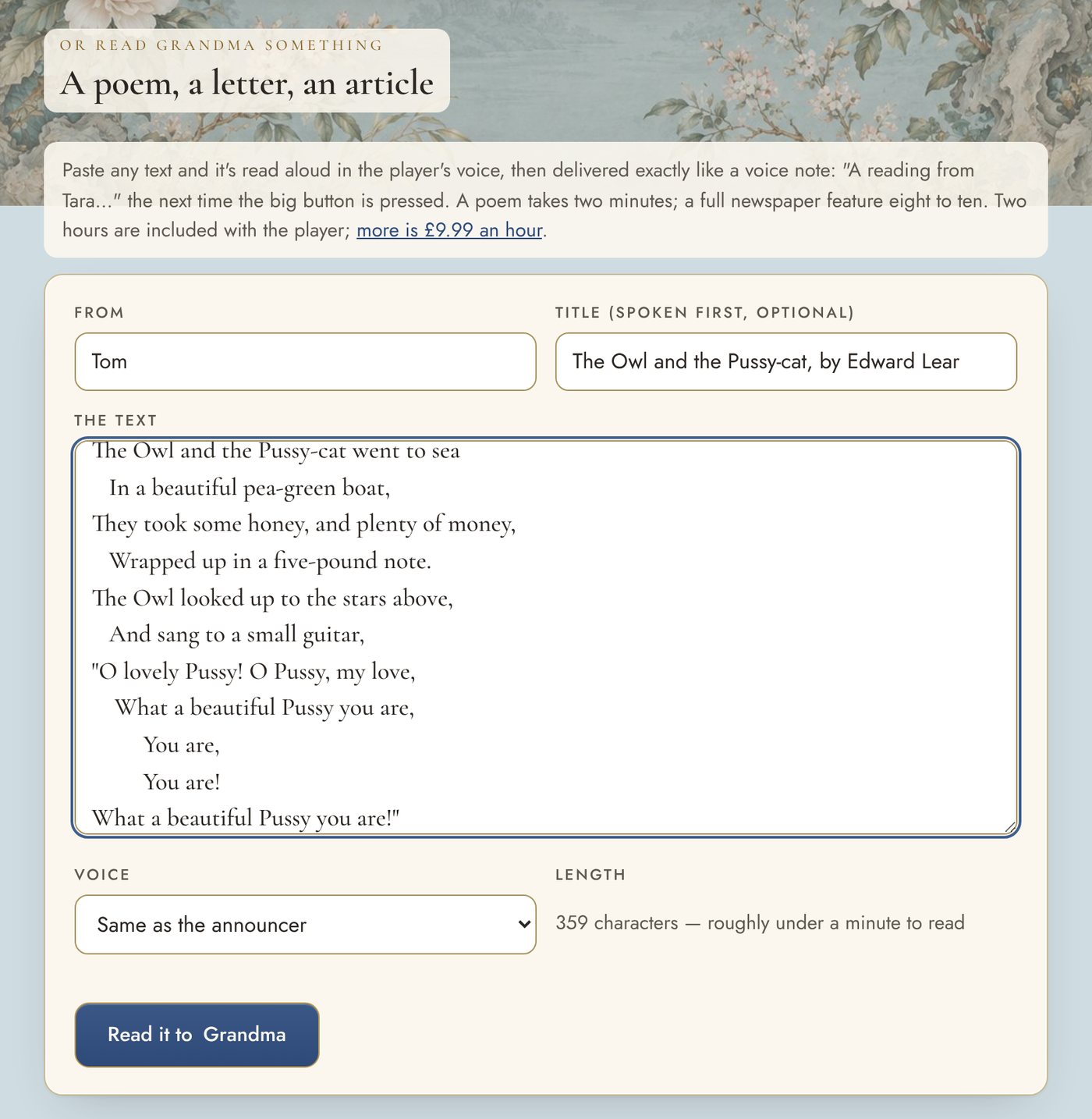
A poem, a letter, an article
Paste in any text and it is read aloud in the player's voice, then delivered like a voice note. Two hours of reading are included with the player.
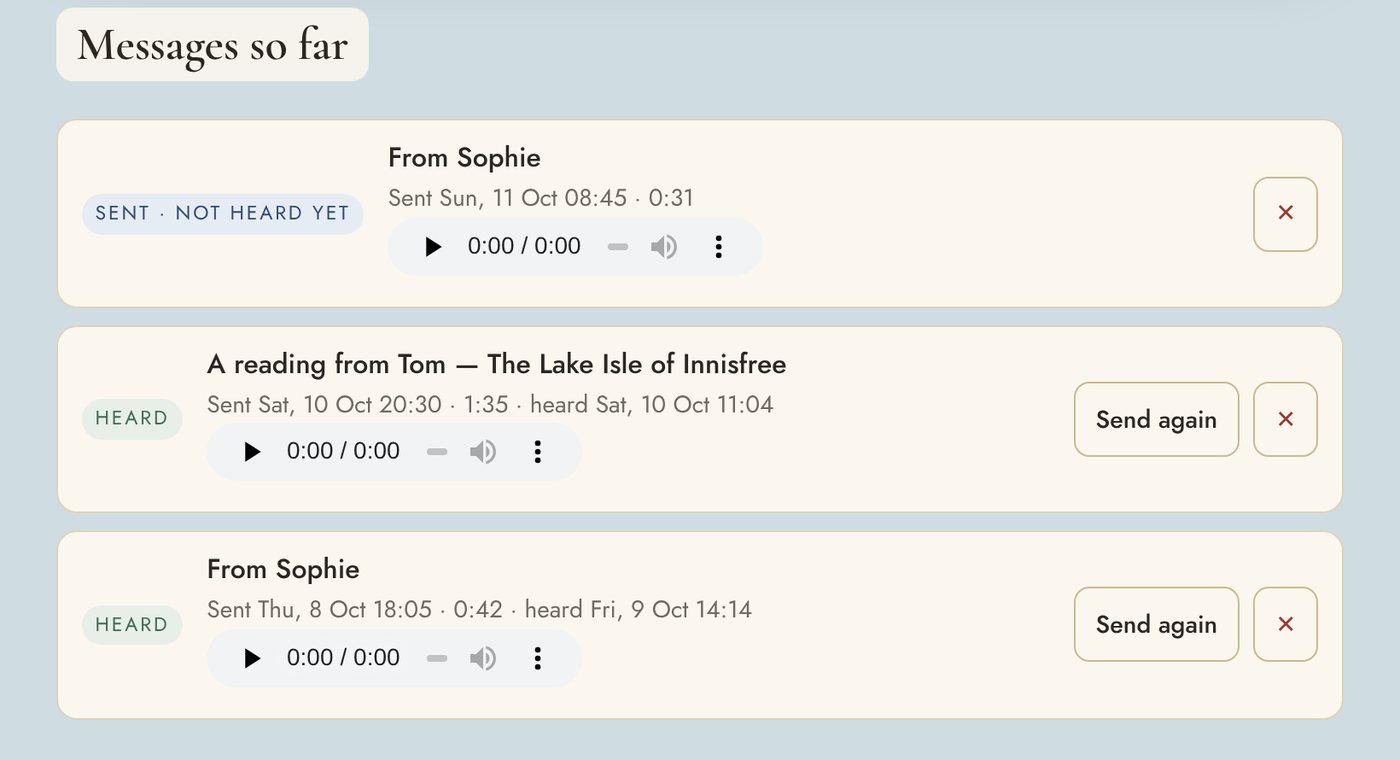
Heard, or not yet
Each message shows when it was sent and when it was heard. Once it has been heard, you can send it again.
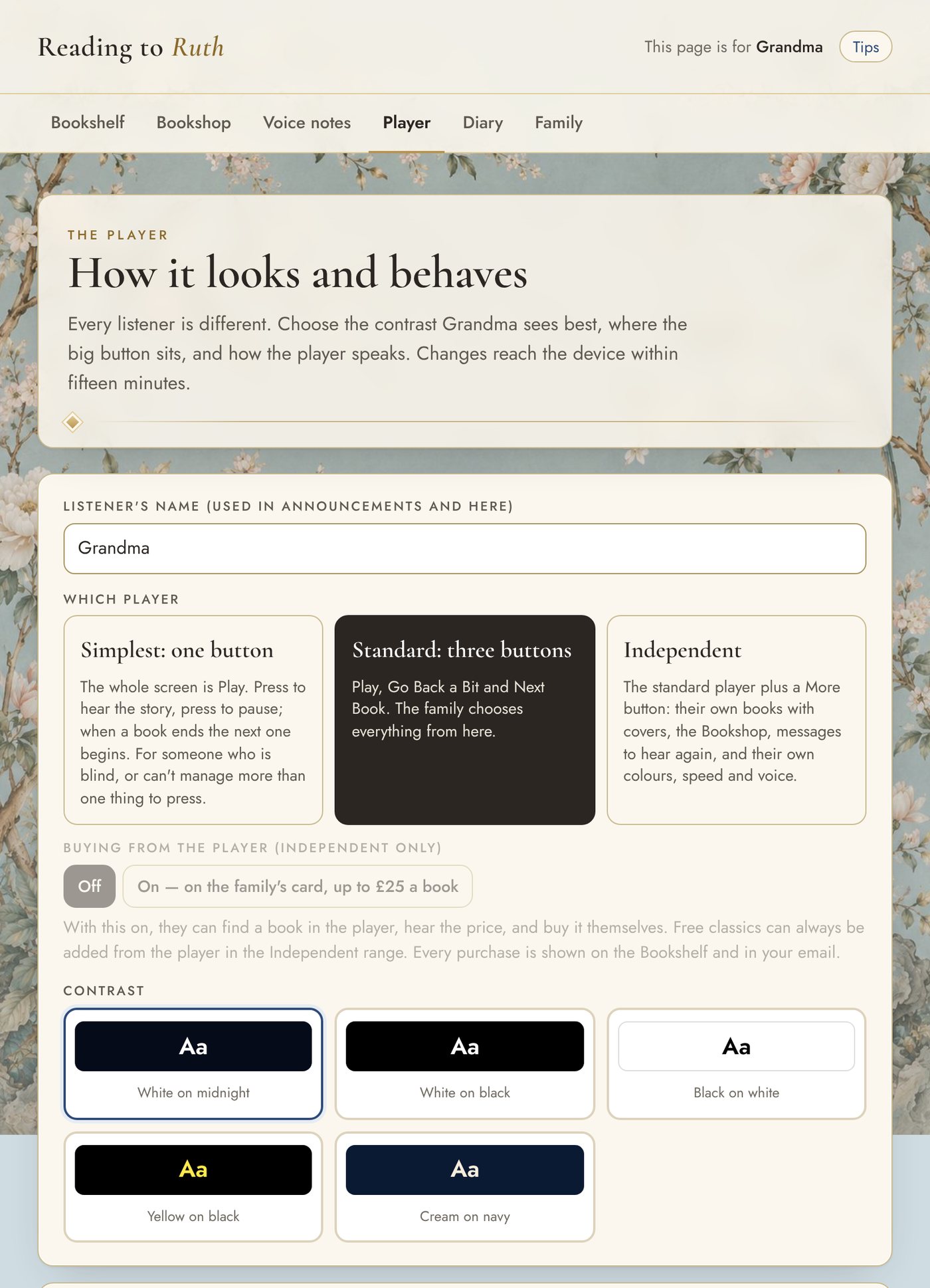
The player: set it to suit them
Choose the simplest player with one button, the standard player with three, or the independent player for someone who can manage more. Pick the colours they see best. You can change any of it later, and the change reaches their device within fifteen minutes.
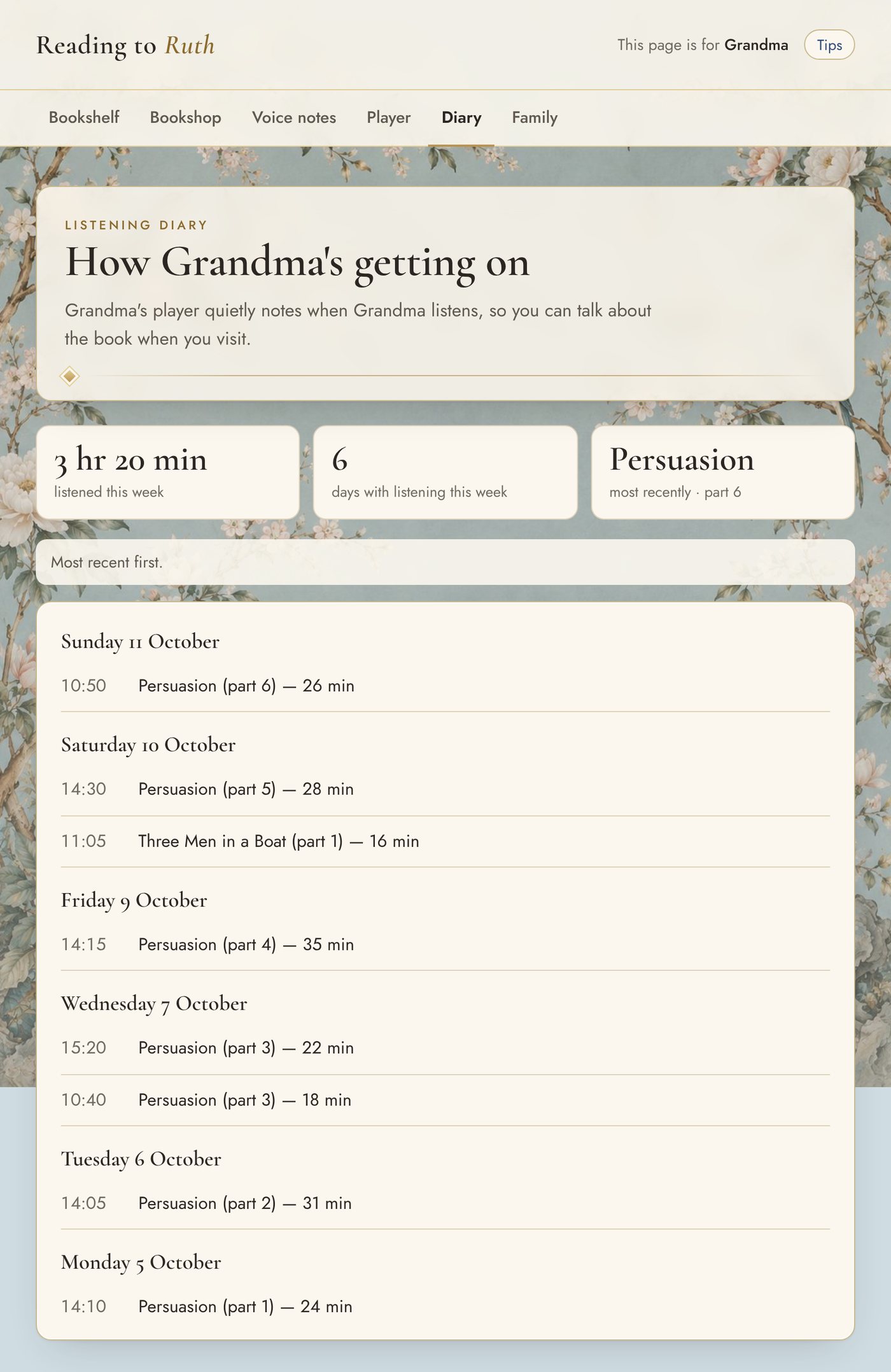
The listening diary
The player quietly notes when they listen, so you can see how they are getting on from wherever you live, and talk about the book when you visit.
The family
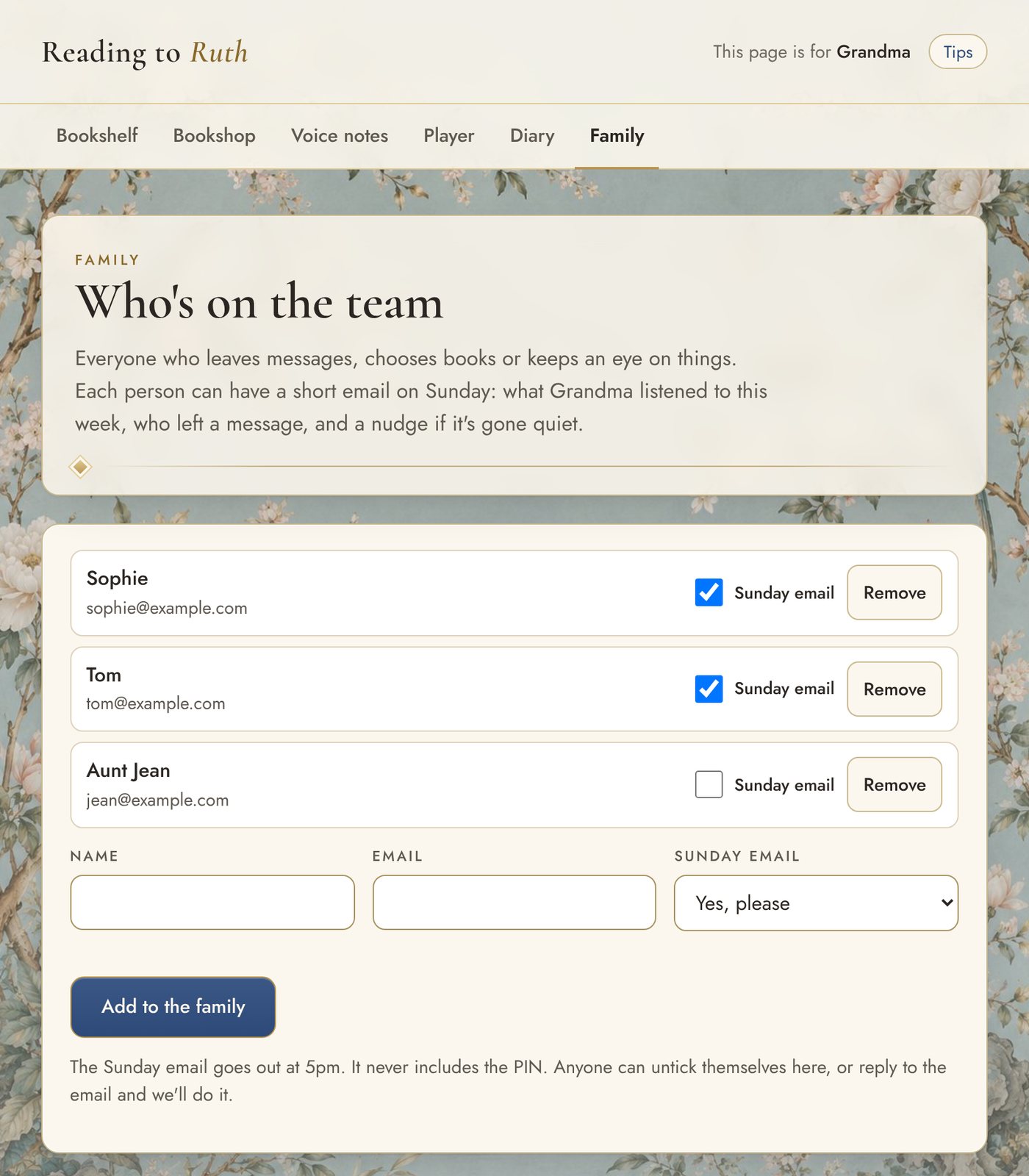
Add brothers, sisters and grandchildren. Each person can have a short email on Sunday: what was listened to that week, who left a message, and a nudge if it has gone quiet. One PIN serves the whole family, and the email never includes it.
One big button for them. All of this for you.
The player, the family page, a free library of classics and unlimited voice messages, set up on a device they already have.
Price from 1 January: £74.99 Founding price now: £49.99 once
Founding price until 31 December 2026. One payment for the whole family. No subscription.
Get started — £49.99Try the player first
60-day money-back guarantee, from the day they first use it.
Questions people ask
What is the family page?
It is a private web page for the people who look after the player: family and carers. You use it to choose the books, record voice messages, change how the player looks and see when they have been listening. It opens on any phone, tablet or computer, behind a four-digit PIN.
Can several relatives use the family page?
Yes. One family account covers unlimited relatives, from any phone or computer, anywhere in the world. Voice messages say who they are from.
Do I need to install an app?
No. The family page and the player are both websites, so there is nothing to install or update. You can add either to your home screen so it opens like an app.